外观
Gemini图片生成
Gemini 可以通过对话方式生成和处理图片。您可以通过文字、图片或两者结合的方式向 Gemini 发出提示,以执行各种与图片相关的任务,例如图片生成和编辑。
您必须在配置中添加 responseModalities: ["TEXT", "IMAGE"]。这些模型不支持仅输出图片。
图片生成(文本转图片)
以下代码演示了如何根据描述性提示生成图片:
js
curl -s -X POST \
  "https://mishu.one/google/v1beta/models/gemini-2.5-flash-image:generateContent?key=$GEMINI_API_KEY" \
  -H "Content-Type: application/json" \
  -d '{
    "contents": [{
      "parts": [
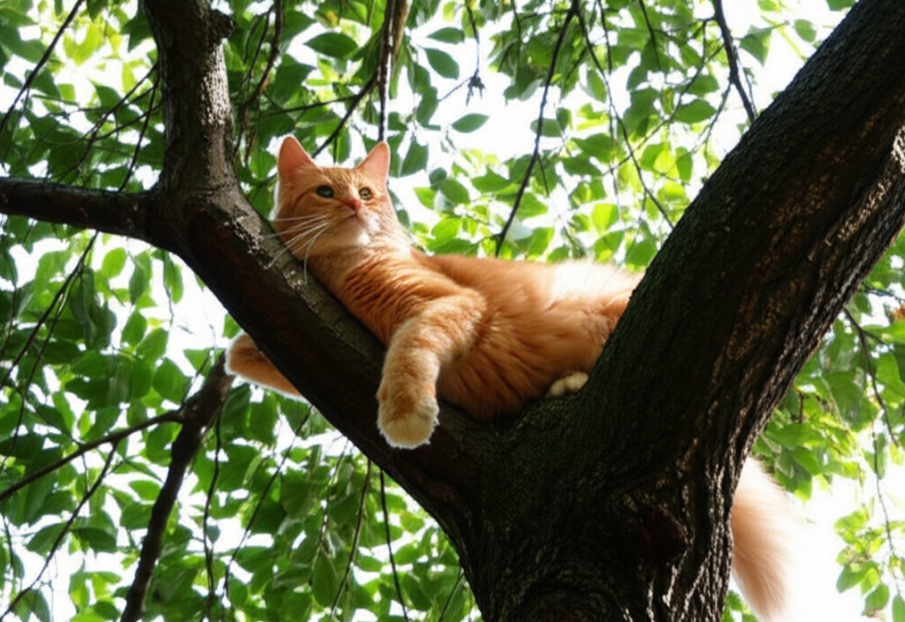
        {"text": "A cat in a tree"}
      ]
    }],
    "generationConfig":{"responseModalities":["TEXT","IMAGE"]}
  }'
返回:
js
{
    "candidates": [
        {
            "content": {
                "parts": [
                    {
                        "text": "I will generate an image of a fluffy ginger tabby cat perched comfortably on a thick, moss-covered branch high up in a leafy tree, with dappled sunlight filtering through the leaves and illuminating the cat's fur.\n\n"
                    },
                    {
                        "inlineData": {
                            "mimeType": "image/png",
                            "data": "(base64编码的图片)"
                        }
                    }
                ],
                "role": "model"
            },
            "finishReason": "STOP",
            "index": 0
        }
    ],
    "usageMetadata": {
        "promptTokenCount": 5,
        "candidatesTokenCount": 1334,
        "totalTokenCount": 1339,
        "promptTokensDetails": [
            {
                "modality": "TEXT",
                "tokenCount": 5
            }
        ],
        "candidatesTokensDetails": [
            {
                "modality": "IMAGE",
                "tokenCount": 1290
            }
        ]
    },
    "modelVersion": "gemini-2.0-flash-preview-image-generation",
    "responseId": "tBpSaOW2FZqY-8YP08Sa2Qw"
}
图片: